
A wet signature is a signature you write by hand, in ink, on paper. The name comes from the ink, which is still wet when the pen leaves the page. It is the opposite of an electronic signature, which is typed, drawn on a screen, clicked or pasted into a file.
What does wet signature mean?
When a bank, landlord or agency asks for a "wet signature" or a "wet ink signature", they want the paper itself: a page you signed with a pen, not a PDF with your name on it. You will also see it called an original signature or ink signature. A few everyday examples:
- signing a lease at the landlord's office
- the signature card at a bank branch
- a form you print, sign at the kitchen table and mail back
- a paper check
What makes it "wet" is the physical act: pen, ink, paper, one copy that you touched. A photocopy or a scan of that page is a copy of a wet signature, not a new one.
Wet signature vs electronic signature
US federal law defines an electronic signature broadly: "an electronic sound, symbol, or process, attached to or logically associated with a contract or other record and executed or adopted by a person with the intent to sign the record" (15 U.S.C. §7006). A typed name at the bottom of an email can qualify. So can a picture of your handwriting placed on a PDF.
| Wet signature | Electronic signature | |
|---|---|---|
| How it's made | Pen and ink on paper | Typed, drawn on a screen, clicked, or an image of your signature placed on a file |
| Where it lives | On one sheet of paper | In a file: PDF, email, a signing service |
| How it travels | By hand, mail or courier | By email, message or link |
| Copies | A scan or photocopy is a copy | Every copy of the file is identical |
| When it's asked for | Some banks, agencies and older processes | Most contracts, forms and agreements |
For most paperwork the law treats both the same way. The federal ESIGN Act says a signature or contract "may not be denied legal effect, validity, or enforceability solely because it is in electronic form" (15 U.S.C. §7001), and almost every state has its own version of that rule. The difference between electronic and digital signatures is a separate question, covered in electronic vs digital signatures.
When is a wet signature still required?
The ESIGN Act lists documents it does not cover (15 U.S.C. §7003). For these, other rules apply, and they often mean paper and ink:
- wills, codicils and testamentary trusts
- adoption, divorce and other family law matters
- court orders, notices and official court documents
- notices that utilities will be cut off
- notices of default, repossession, foreclosure or eviction for a primary residence
- cancellation of health or life insurance
- product recalls that put health or safety at risk
Outside that list, the other side can still ask for ink. A bank may want the original on file, a government office may accept only paper forms, and some documents need a notary, who has to watch you sign. When a counterparty says "wet signature", ask whether a signed PDF will do. Often it will.
General information, not legal advice.
Can you scan a wet signature?
Yes. It is a quick way to get your own handwriting into digital documents. You sign a sheet of paper once, photograph it, and cut the signature away from the page. The result is an image of your signature that you can place on any PDF.
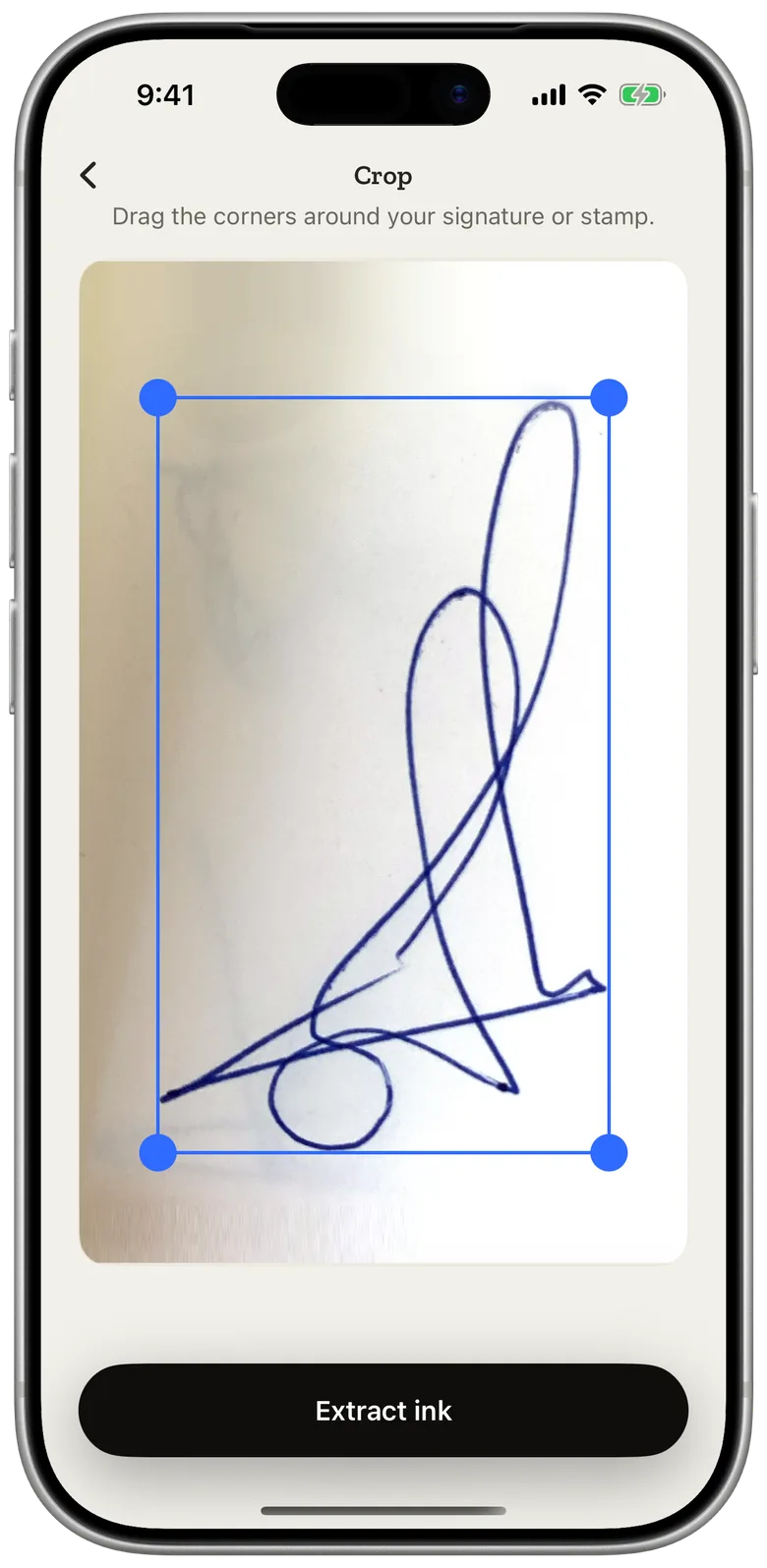
Once it is on a PDF, the signature is an electronic signature made from your real one. It keeps the shape of your hand, and a person reading the document sees the same signature you write on paper. What it does not have is the paper: if someone insists on an original, a scan will not replace it.
A clean scan needs white paper, a dark pen and even light. The step-by-step, with tips, is in how to scan your signature.
Turn your wet signature into a PDF signature on iPhone
eSign Me is an iPhone app built around this idea. Instead of a typed name in a curly font or a shaky line drawn with a finger, it uses the signature you already write.
- Sign a sheet of paper with the pen you normally use.
- Photograph it in eSign Me. The app lifts the ink off the page: the paper drops away, and the stroke keeps the color of your pen. You can erase specks or restore faint lines before saving it.
- Place it on any PDF from Files, Photos or the camera, then export the signed file or send a link to the next signer.
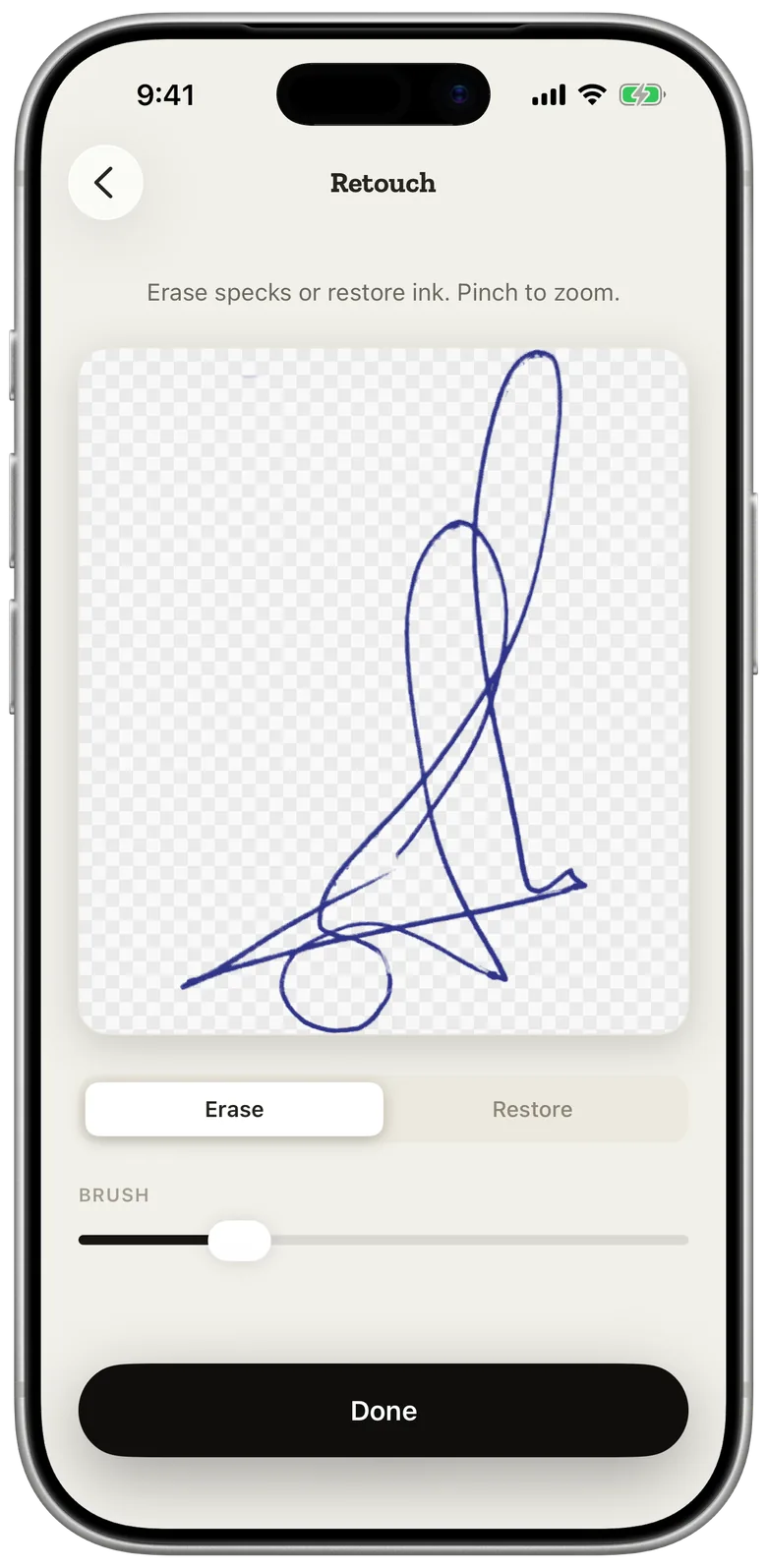
Capturing your signature happens on your iPhone, and the scanner doesn't upload your handwriting to do it. Initials and company stamps come through the same way. The full walkthrough for documents, including forms that need text and dates, is in how to sign a PDF on iPhone.
Wet signatures and the other signer
A wet signature slows things down most when someone else has to sign. The other person has to print the document, find a pen, sign, scan it and send it back, and that is usually where a contract waits for days.
With eSign Me you send a link instead. The other signer opens it in the browser on any phone or computer and signs there, either by photographing their own signature on paper or by drawing it on the screen. They don't install anything or create an account, and the signed copy comes back to your library.
Questions
Is a scanned signature a wet signature?
No. A scan is a copy of a wet signature. Once you place that image on a PDF, it becomes an electronic signature made from your handwriting. If someone asks for an original, they want the signed paper itself.
Is a signed PDF a wet signature?
No. A PDF is a file, so any signature on it is electronic, even when it is an image of your real handwriting. A wet signature exists only on paper.
What does "wet ink" mean?
Ink from a pen on paper. "Wet ink signature" and "wet signature" mean the same thing: you signed the physical page by hand.