
To scan your signature on iPhone, sign a sheet of white paper with a dark pen, photograph it in a signature scanner app such as eSign Me, and crop around the signature. The app lifts the ink off the page and saves a clean signature with a clear background that you can place on any PDF.
How to scan your signature on iPhone
The whole setup takes about a minute, and you do it once.
- Sign a sheet of paper. Use plain white paper and the pen you normally sign with. Sign two or three times, so you can pick the best one.
- Open eSign Me and photograph the page. Hold the phone flat above the sheet, so the signature isn't skewed.
- Crop around one signature. Drag the frame close to the ink, leaving a little space around it.
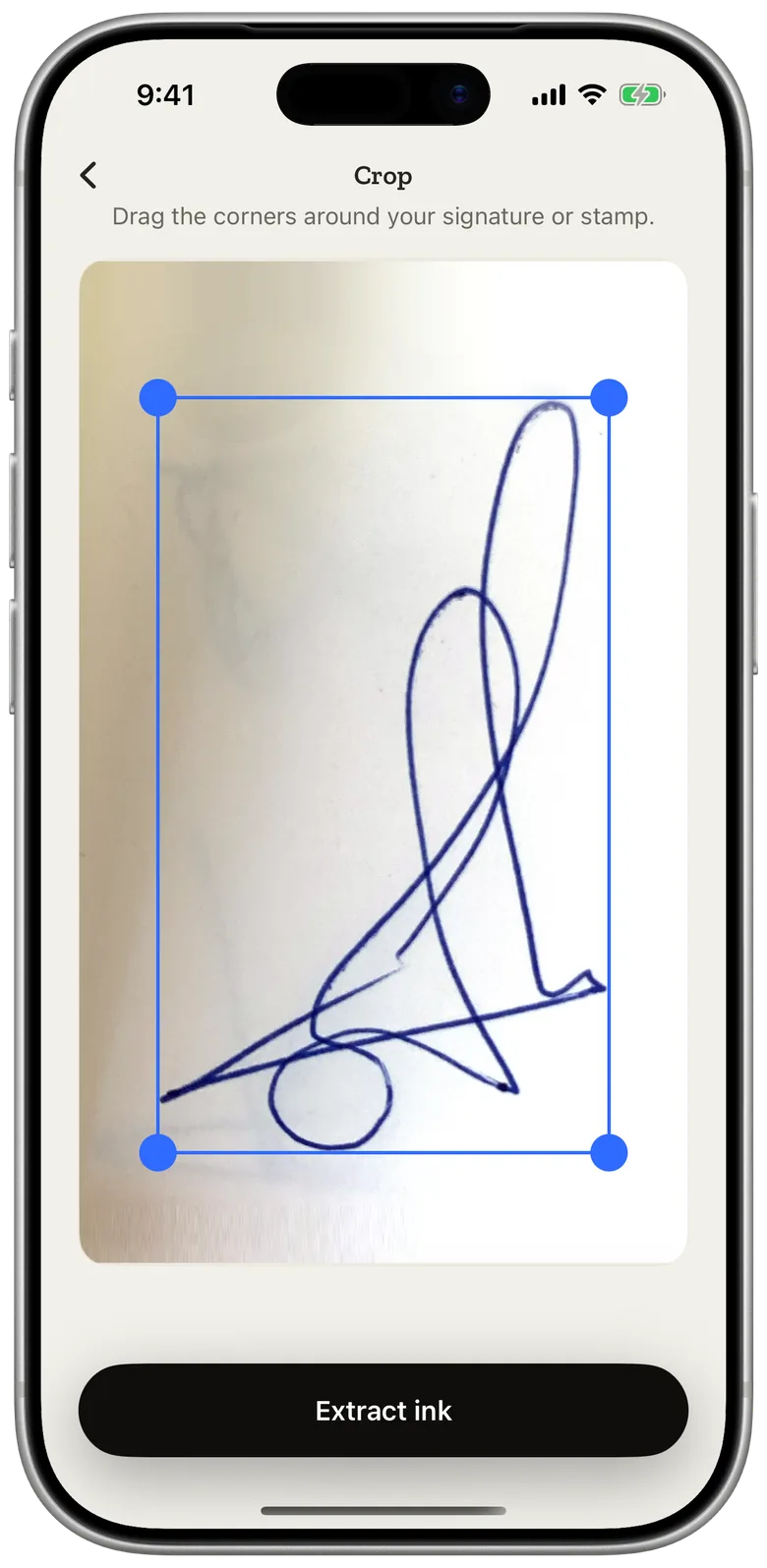
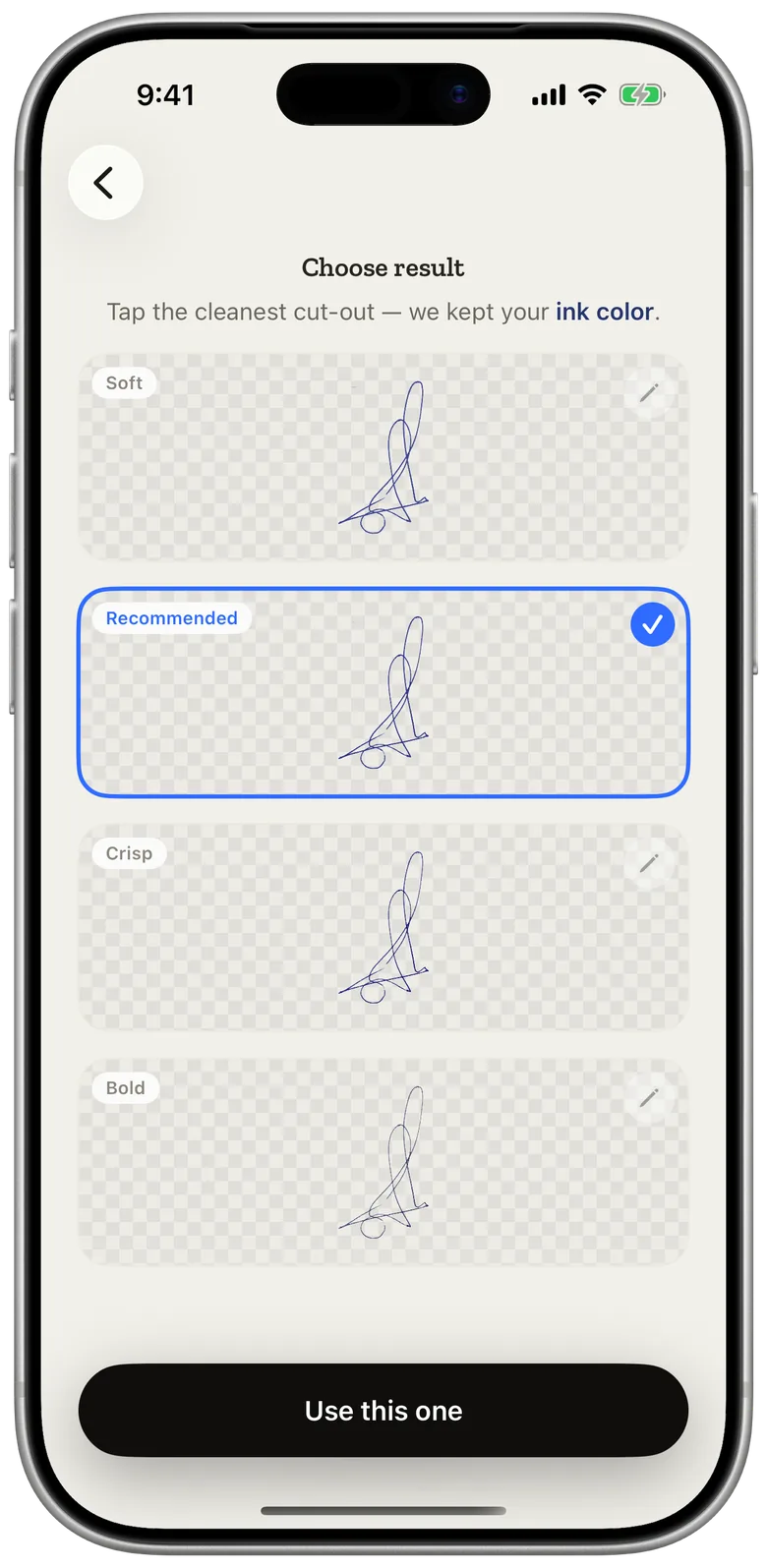
- Let the app pull the ink out. The paper drops away, and the stroke keeps the color of the pen you held. Blue ink stays blue.
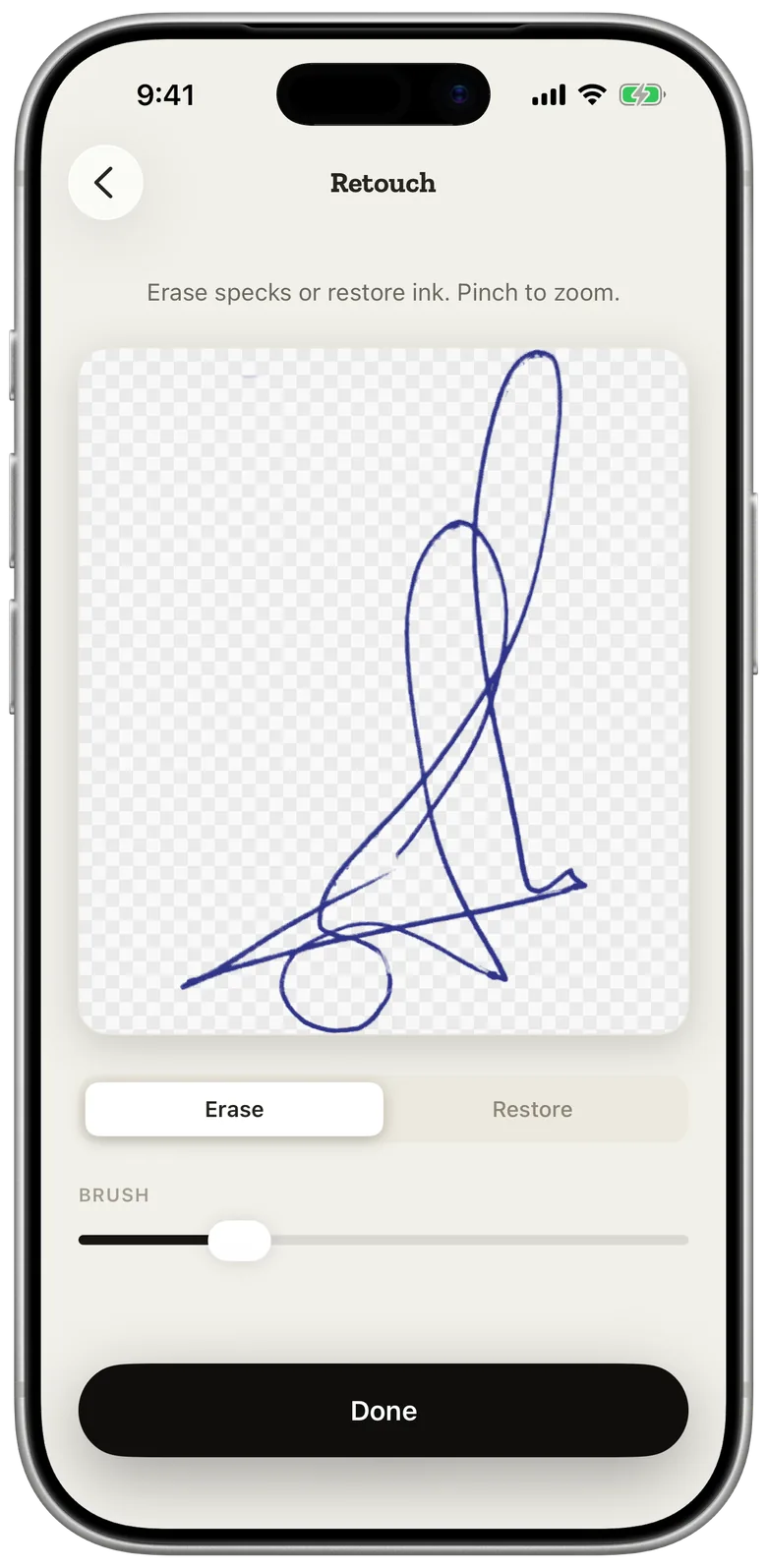
- Retouch if needed. Erase specks of dust or a stray line from the paper, or restore a faint part of the stroke.
- Save it. The signature stays in your library on the iPhone, ready for every document after this one.
Initials and company stamps go through the same steps. If your stamp is round or has fine print, scan it on its own sheet with nothing else nearby.
Tips for a clean signature scan
Most bad scans come from the paper and the light, not the camera.
- Paper. Plain white printer paper works best. Lined paper, graph paper and the back of a printed page leave lines the app has to guess around.
- Pen. A dark gel or ballpoint pen gives a solid stroke. A pencil or a nearly dry pen gives a grey, broken line.
- Size. Sign a little larger than you would on a form. A bigger signature keeps its detail when you shrink it on the page.
- Light. Stand near a window or under an even ceiling light. Keep the shadow of your hand and phone off the page, and avoid a flash that leaves a bright spot.
- Angle. Shoot straight down. A tilted photo stretches the signature.
If the first result looks rough, sign again and take a new photo. That is faster than repairing a weak scan.
Other ways to digitize your signature
eSign Me is one option. The others each have a catch.
A flatbed scanner and an image editor. Scan the signed page, open it in a photo editor, remove the white background and save a transparent PNG. The result can be very clean, but it takes a scanner, a computer and some editing skill, and you repeat the background work whenever you want a new version.
Drawing with your finger. Apple's Markup and most PDF apps let you draw a signature on the screen. It is free and already on your phone. The result rarely looks like the signature you write on paper, because a fingertip on glass moves differently from a pen.
Typing your name in a script font. Many e-signature services offer this. It is quick, but it is the same font anyone else can pick, and it doesn't look like your handwriting.
Put your scanned signature on a PDF
Once your signature is saved, signing a document is a matter of placing it. Open the PDF from Files, Photos or the camera, tap where it needs a signature, and adjust the size and rotation with your fingers. The step-by-step, including dates, initials and typed details, is in how to sign a PDF on iPhone.
If the document arrived as a Word file, save it as a PDF first. The two ways to do that on iPhone are in how to sign a Word document on iPhone.
Is a scanned signature valid?
A scanned signature placed on a PDF is an electronic signature. US federal law defines one as a "sound, symbol, or process" attached to a document "with the intent to sign" it (15 U.S.C. §7006), and an image of your handwriting fits that definition.
For most contracts and forms, that is enough: the law says a signature can't be rejected only because it is electronic. A few documents, such as wills and some court papers, still need ink on paper. The list, and what "wet signature" means, is in what is a wet signature. How a scanned signature differs from a certificate-based digital signature is in electronic vs digital signatures.
Questions
Does the scan keep the color of my pen?
Yes. eSign Me removes the paper and keeps the ink as it is, so a signature in blue pen stays blue on the PDF.
Can I scan my initials or a company stamp?
Yes. Initials and stamps go through the same steps as a signature and are saved next to it, ready to place on any page.
Is my signature uploaded anywhere when I scan it?
No. Capturing your signature happens on your iPhone, and your saved signatures stay there. A document goes to our server only when you send it to someone for signing, and it is deleted on the schedule described in our Privacy Policy.
Can I draw my signature instead of scanning it?
Yes. When there is no paper at hand, you can draw a signature on the screen and save it the same way.