
Adobe Acrobat Sign suits people who already work with PDFs: it comes inside Acrobat Standard and Pro, together with a full PDF editor. DocuSign suits companies that send many agreements and need routing, integrations and an evidence record. If you only sign now and then on an iPhone, a lighter app may be enough.
Adobe Acrobat Sign vs DocuSign at a glance
| Adobe Acrobat Sign | DocuSign eSignature | |
|---|---|---|
| What you buy | Acrobat Standard or Pro: a PDF editor with e-signatures included | A dedicated e-signature service |
| Cheapest plan with sending | Acrobat Standard, $14.99/mo on an annual plan billed monthly | Personal, about $10/mo on an annual plan, 5 envelopes a month |
| Month to month | $24.99 (Standard), $29.99 (Pro) | about $15 (Personal) |
| Integrations | Microsoft 365: Word, PowerPoint, Outlook, Teams, SharePoint | Word, Outlook, Google Workspace, Salesforce and more than 1,000 listed |
| Evidence record | Audit report for every agreement | Certificate of Completion |
| Free option | Free trial of Acrobat Pro | Free account to sign your own documents |
| Signer needs an account | No, with default email verification | No |
Prices checked September 2026. Adobe prices are from Adobe's US pricing page; DocuSign prices are from recent published reviews, because DocuSign's US page did not show them. Both change often, so check before you buy.
Pricing
Adobe doesn't sell signing on its own to individuals. E-signatures come with Acrobat. Acrobat Standard costs $14.99 a month on an annual plan billed monthly, or $24.99 month to month. Acrobat Pro costs $19.99 and $29.99. Both let you "collect e-signatures and track responses"; Pro adds reusable templates and bulk sending (Adobe pricing). The cheapest plan, Acrobat Express, has no e-signatures at all. Larger companies buy Acrobat Sign Solutions through Adobe's sales team, without a public price.
DocuSign sells e-signatures as its main product. The Personal plan costs about $10 a month on an annual plan, or $15 month to month, and includes 5 envelopes a month. An envelope is one sending: one or more documents going out for signature. Standard and Business Pro cost about $25 and $40 per user per month on annual plans ($45 and $65 month to month), and they include 100 envelopes per user per year (PandaDoc review; envelope limits from DocuSign). A free DocuSign account lets you sign documents others send you, but sending for signature needs a paid plan (DocuSign).
What this means in practice:
- One person, a few documents a month: DocuSign Personal costs less per month, as long as 5 envelopes are enough. Acrobat Standard costs more but includes a full PDF editor.
- One person who edits PDFs anyway: Acrobat Standard replaces two tools with one.
- A team: compare Adobe's team plans (from $11.99 per license a month) with DocuSign Standard, and count how many agreements each person sends a year. The 100-envelope yearly limit on DocuSign's team plans is the number to check.
Signing and sending
Both services work the same way from the signer's side. You upload a document, mark where each person signs, and send it. The signer gets an email, opens the document in a browser, and signs. Neither service makes the signer create an account by default. Adobe asks for an account only when the sender turns on Acrobat Sign authentication.
The difference is on the sender's side. With Adobe, sending for signature sits next to everything else you do with a PDF: editing text, combining files, filling in forms. With DocuSign, the envelope is the centre of the product. DocuSign's Word add-in, for example, routes a document to the right people in the right order.
Integrations
Adobe's strongest integrations are with Microsoft 365. From Word, PowerPoint and Outlook you can send a document for signature and track its status. Teams, including Approvals, and SharePoint are covered too (Adobe).
DocuSign lists more than 1,000 integrations (DocuSign integrations). It has add-ins for Word and Outlook to send, sign and track documents from inside those apps (Word, Outlook). Its list goes well beyond Microsoft, including Salesforce, Google Workspace, Workday, HubSpot and Box.
If your company lives in Microsoft 365, both will fit. If your agreements start in a CRM or HR system, check that system's name on DocuSign's list first.
Audit trail and evidence
Both keep a record of what happened to each agreement.
Adobe creates an audit report for every agreement. It is on by default, and the final version is generated when the agreement is signed, cancelled, declined or expires. Adobe can attach the report to the signed PDF (Adobe Help).
DocuSign issues a Certificate of Completion for each envelope. It records who signed, when and from where, and the finished file is sealed so later changes show.
For most people the two records do the same job: they help show who signed and when. If a regulator, an auditor or your legal team names one of them, that settles the choice. How a record like this differs from the signature itself is explained in electronic vs digital signatures.
Who should choose Adobe Acrobat Sign
- You already pay for Acrobat, or you edit, merge and convert PDFs often.
- Your team works in Word, Outlook, Teams and SharePoint.
- You need reusable templates or bulk sending and already use Acrobat Pro.
- You want one subscription instead of a PDF editor plus a signing service.
Who should choose DocuSign
- Signing is a core business process: sales contracts, HR onboarding, vendor agreements.
- You route documents through several signers in a set order.
- Your agreements start in Salesforce, Workday or another system on DocuSign's list.
- Your counterparties or your compliance team already expect DocuSign.
How to decide in five minutes
Answer four questions before you open either pricing page:
- How many agreements do you send a month? Under five, and only you send them: DocuSign Personal or a free option may be enough. More than that, or several people sending: look at team plans.
- Do you edit PDFs anyway? If yes, the Acrobat subscription does double duty.
- Where do your agreements start? In Word or Outlook, both work. In a CRM or HR system, check DocuSign's integration list.
- Does anyone require a specific tool? A client, a regulator or your own procurement team may already have chosen for you.
If the answer to the first question is "a few a year", read the next section before you buy either.
A third option for occasional signing on iPhone
Both services are built for people who send agreements regularly. If you sign a lease once a year and a contract every few months, mostly from your phone, you may not need either.
eSign Me is an iPhone app, and we make it, so weigh this section with that in mind. You sign a sheet of paper once, photograph it, and the app lifts the ink off the page, keeping the color of your pen. You place that signature on any PDF from Files, Photos or the camera. When someone else has to sign, you send them a link; they open it in a browser and sign by photographing their own signature on paper or drawing it on the screen, with no app and no account.
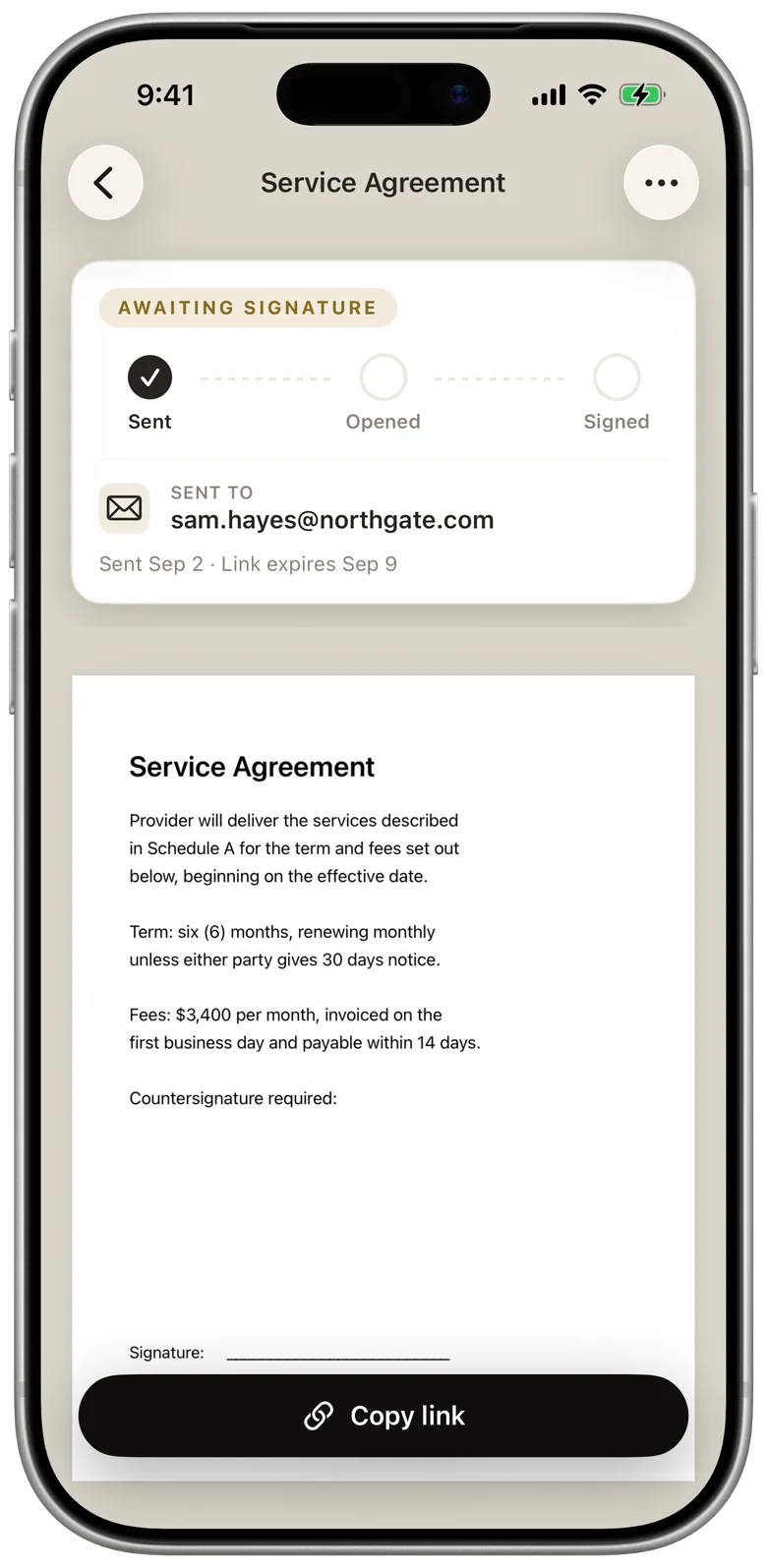
What it doesn't do: there is no audit trail or sealed file yet, each link is for one signer, and there are no templates, no bulk sending and no Android or Windows apps. It is free to use as of September 2026, and paid plans are planned.
If neither Adobe nor DocuSign feels right and your needs are somewhere in between, DocuSign alternatives compares Dropbox Sign, Signeasy, SignNow and Apple Markup as well. If you're signing rental agreements, how to sign a lease online covers that case step by step.
Questions
Which is cheaper, Adobe Acrobat Sign or DocuSign?
For one person, DocuSign Personal is cheaper on paper: about $10 a month on an annual plan, against $14.99 for Acrobat Standard. But DocuSign Personal allows 5 envelopes a month, and Acrobat Standard also gives you a PDF editor. Prices as of September 2026.
Is Acrobat Sign included with Adobe Acrobat?
Yes, in Acrobat Standard and Acrobat Pro: both let you request signatures and track responses. Pro adds reusable templates and bulk sending. The cheaper Acrobat Express plan does not include e-signatures.
Is there a free option?
DocuSign has a free account for signing your own documents, but sending for signature is paid. Adobe has a free trial of Acrobat Pro. eSign Me, an iPhone app, is free to use as of September 2026, with paid plans planned.