
In the US, a lease can usually be signed electronically: federal law and the laws of almost every state treat an electronic signature on a contract like one in ink. To sign a lease online, the landlord sends the lease as a link, and the tenant opens it in a browser and signs, with no printer and no scanner.
Can you sign a lease electronically?
For most residential and commercial leases, yes. The federal ESIGN Act says a contract "may not be denied legal effect, validity, or enforceability solely because an electronic signature or electronic record was used in its formation" (15 U.S.C. §7001). The Uniform Electronic Transactions Act (UETA), adopted by 49 states and the District of Columbia, says much the same at the state level, and New York has its own law, the Electronic Signatures and Records Act. More on how US law treats electronic signatures.
A few housing documents are carved out. ESIGN does not cover notices of "default, acceleration, repossession, foreclosure, or eviction" under a rental agreement for someone's primary residence (15 U.S.C. §7003). Those notices follow their own rules, which often mean paper. The lease itself is not on that list.
Some landlords, property managers and housing programs still ask for ink. If a form says "wet signature", the page on what a wet signature is explains what they mean and when it is required.
General information, not legal advice. For a lease with unusual terms, check your state's rules or ask a lawyer.
How landlords send a lease for signing
With eSign Me on your iPhone:
- Open the lease PDF from Files, or photograph a paper lease with the camera. The app squares up each page and saves a proper PDF.
- Sign your part. Place your saved handwritten signature, your initials on each page and the date. How the signature is captured, and how to fill the rest of a form, is in how to sign a PDF on iPhone.
- Tap Request signature. eSign Me uploads the document and gives you a link.
- Send the link to the tenant by message or email, the same way you would send any link.
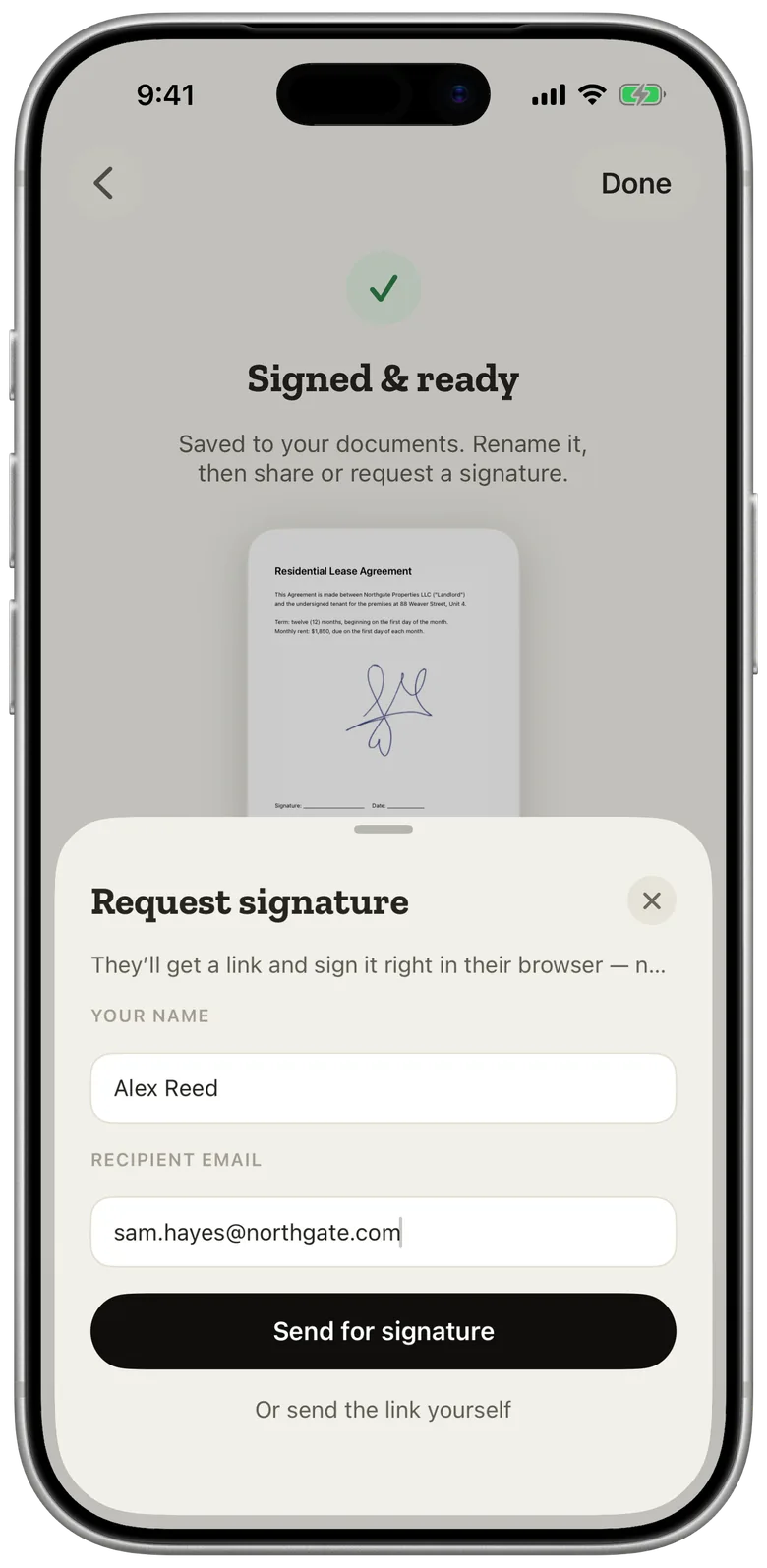
The tenant's email address is optional. The link is what matters, so you can send it through whatever channel the tenant actually reads.
How tenants sign a lease online
The tenant does not need the app. They open the link in the browser on any phone or computer and see the lease.
- Read the lease in the browser, page by page.
- Create a signature in one of two ways: photograph their own signature on a sheet of paper, or draw it on the screen.
- Place it on the signature lines and submit.
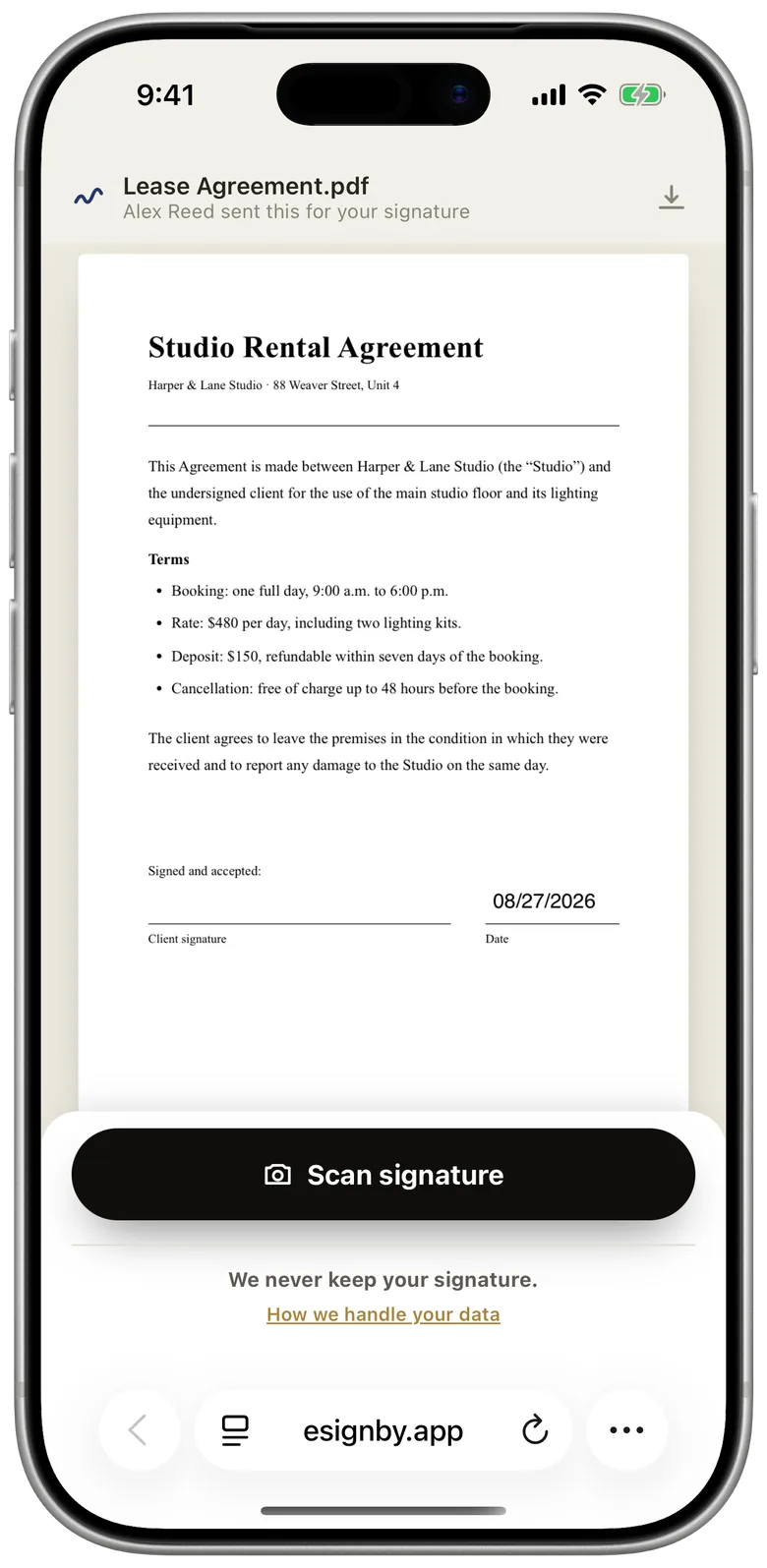
There is no account to create and nothing to install, which matters when the tenant is signing on a phone at work or on a family computer.
Two tenants or a co-signer?
Each signing link is for one person. When a lease needs two tenants, or a tenant and a guarantor, send them one after the other:
- Send the link to the first tenant.
- When the signed copy comes back to your library, open it and tap Request signature again.
- Send the new link to the second person.
Each round adds a signature to the same document, so the final copy carries all of them. There is no way yet to send one link that several people sign at the same time.
Track the lease until it's signed
eSign Me shows each request as it moves: sent, opened, signed. When the tenant signs, the signed copy lands back in your library, ready to share or print.
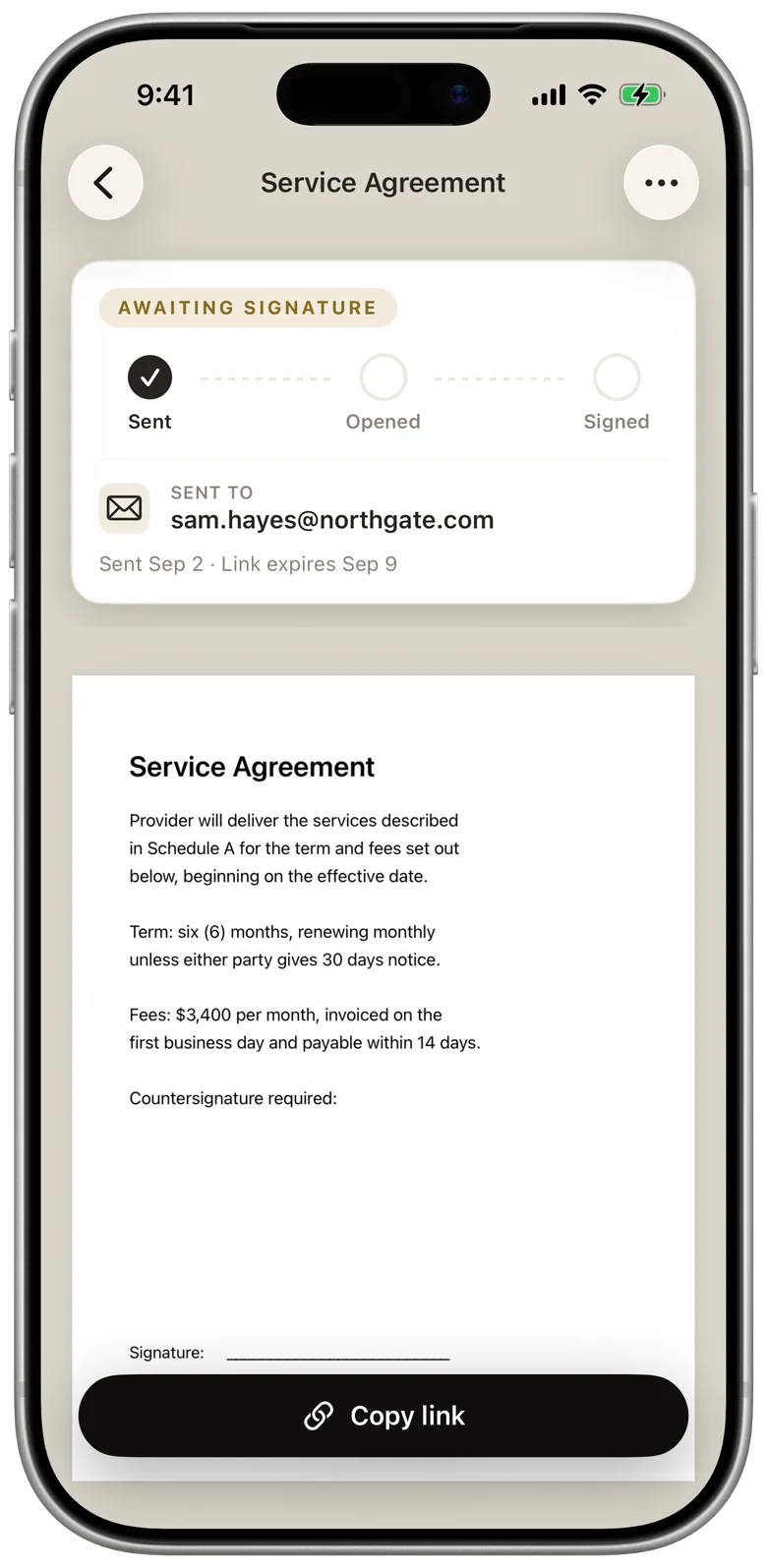
A signing link stays valid for 7 days. If the tenant hasn't signed by then, send a new request. The uploaded lease doesn't stay on our server: the original is deleted once it is signed, or when the link expires if nobody signs it. The signed copy is deleted once you have downloaded it (at the earliest an hour after signing), or after 90 days if nobody does. The full schedule is in the Privacy Policy.
What to check before you sign a lease
Signing online is faster, which makes it easy to skip the reading. Before either side signs, check:
- Names and address. Every tenant and the landlord spelled correctly, and the full unit address.
- Dates. Start date, end date, and what happens at the end of the term. Not renewing when the term ends? See what a notice of non-renewal includes.
- Money. Monthly rent, due date, security deposit, late fees and who pays which utilities.
- Every page. Initials where the lease asks for them, and no blank pages or missing addenda.
- Rules. Pets, guests, subletting, parking and maintenance.
If something needs to change, change it in the document before anyone signs. A signature on an old version doesn't carry over to a corrected one.
Is an online lease signature an electronic or a digital signature?
A signature placed on a PDF through eSign Me is an electronic signature: an image of the signer's handwriting attached to the document with the intent to sign. It is not a certificate-based digital signature. What the difference means in practice is in electronic vs digital signatures.
Questions
Does the tenant need the app to sign the lease?
No. The tenant opens the link in a browser on any phone or computer and signs there. There is nothing to install and no account to create.
How long is the signing link valid?
7 days from the moment you send it. After that the link stops working, and you can send a new request.
Where is the lease stored?
On your iPhone. The lease goes to our server only when you send it for signing, and it is deleted on the schedule in our Privacy Policy: the original once it is signed or the link expires, the signed copy after you download it or after 90 days.