
The best DocuSign alternative depends on how often you sign and who signs on the other side. For a team that sends contracts every week, Dropbox Sign, Adobe Acrobat and SignNow cover the same basics. For one person signing on an iPhone now and then, Apple Markup covers signing on your own, and eSign Me adds a second signer through a link.
Why people look for a DocuSign alternative
DocuSign is the category leader, and it is built for companies. That shows in three places.
Price for occasional use. The Personal plan costs about $10 a month on an annual plan, or $15 month to month, and it allows 5 envelopes a month. Standard and Business Pro run about $25 and $40 per user per month on annual plans, and they cap envelopes at 100 per user per year. Someone who signs a lease once a year and a freelance contract every few months pays for a service they barely use.
Sending needs a paid plan. A free DocuSign account lets you upload a document, sign it yourself and send it back. To ask someone else for a signature, you need a subscription (DocuSign).
More than one person needs. Templates, bulk sending, routing orders, payment collection and admin roles are useful to a sales team. For one landlord or one freelancer they are menus to scroll past.
The recipient side is not the problem. Someone who receives a DocuSign request can sign without an account (DocuSign), and the same holds for Dropbox Sign, Adobe Acrobat and Signeasy.
What to look for in a DocuSign alternative
Four questions sort the options faster than a feature grid:
- How often do you send documents for signature? A few a year, a few a month, or every day. This decides whether a per-user subscription makes sense at all.
- Who signs on the other side? Clients who know e-signature tools, or a tenant, a parent or a small business owner who will give up if signing takes more than a few taps.
- Do you need proof, or only a signature? An audit trail (a record of who opened and signed, when, and from where) and a sealed file matter when a document may be disputed. For many everyday documents, a signed PDF is all anyone asks for.
- Where do you work? A desktop browser with Word and Google Drive, or mostly an iPhone.
DocuSign alternatives compared
| Best for | Free option | Paid from | Audit trail | |
|---|---|---|---|---|
| DocuSign | Companies with many senders and compliance needs | Free account to sign your own documents | ~$10/mo, 5 envelopes/mo | Yes |
| Dropbox Sign | Small teams already on Dropbox or Google Workspace | Free plan, 30-day trial of paid plans | $10.05/mo annually, $15 monthly | Yes |
| Adobe Acrobat | People who already edit PDFs in Acrobat | Free trial | $14.99/mo on an annual plan | Yes |
| Signeasy | Individuals and small businesses on desktop and mobile | 14-day trial | $10/mo, 5 contracts/mo | Yes |
| SignNow | Budget-minded teams sending many documents | 7-day trial | ~$8/user/mo annually | Yes |
| Apple Markup | Signing a PDF yourself on iPhone, for free | Free, built into iOS | — | No |
| eSign Me | Occasional signing on iPhone with your real signature | Free to use as of Sep 2026; paid plans are planned | — | Not yet |
Prices checked September 2026 on each vendor's pricing page, or in recent published reviews where the page did not show prices. They change often, so check before you buy.
Dropbox Sign
Formerly HelloSign, now part of Dropbox. The Essentials plan costs $10.05 a month on an annual plan, or $15 month to month, for one user with unlimited signature requests; Standard, for teams, is $17.50 per user per month annually (Dropbox Sign pricing). Plans include a non-editable audit trail, and signers don't need an account.
Good fit if: you want DocuSign's basics, unlimited requests on a single-user plan, and integrations with Google Drive, Word or HubSpot.
Less good if: you only sign a few documents a year and would rather not hold a subscription.
Adobe Acrobat (Acrobat Sign)
Adobe bundles e-signatures into Acrobat. Acrobat Standard costs $14.99 a month on an annual plan billed monthly, or $24.99 month to month; Acrobat Pro is $19.99 and $29.99 (Adobe pricing). You get a full PDF editor as well as signing. Recipients sign in a browser without an Adobe account when the sender uses the default email verification.
Good fit if: you already edit, merge or convert PDFs and want signing in the same tool.
Less good if: signing is all you need. You pay for an editor you may not open. For a head-to-head look, see Adobe Acrobat Sign vs DocuSign.
Signeasy
A signing app for individuals and small businesses, on the web and on phones. Personal costs $10 a month and allows 5 contracts a month; Business, with unlimited contracts, is $20 per seat per month (Signeasy pricing). There is a 14-day trial and an audit trail on every plan, and signers don't need an account.
Good fit if: you want a straightforward app that works across desktop and phone.
Less good if: you send more than five documents a month and don't want to jump to the Business plan.
SignNow
One of the cheapest paid options per user: the Business plan costs about $8 per user per month on an annual plan, with a 7-day trial (G2). Plans are capped at around 100 signature invites per user per year, with more available at extra cost. Documents come with an audit trail.
Good fit if: a team needs e-signatures with an audit trail on a small budget.
Less good if: you send a lot, since the invite cap and add-ons change the real price.
Apple Markup
Already on your iPhone and free. Open a PDF, tap Markup, then Add Signature, sign with your finger and drag the signature into place (Apple Support). The step-by-step is in how to sign a PDF on iPhone.
Good fit if: you only ever sign documents yourself and a finger-drawn signature is acceptable.
Less good if: someone else has to sign too. Markup has no way to send a document for signature, and a fingertip signature rarely looks like the one you write on paper.
eSign Me
Our app, so read this section with that in mind. eSign Me is an iPhone app that uses your real handwritten signature: you sign a sheet of paper once, photograph it, and the app lifts the ink off the page, keeping the color of your pen. You place it on any PDF from Files, Photos or the camera, along with initials, stamps, text and dates.
When someone else needs to sign, you send a link. They open it in the browser on any phone or computer and sign by photographing their own signature on paper or drawing it on the screen, with no app and no account.
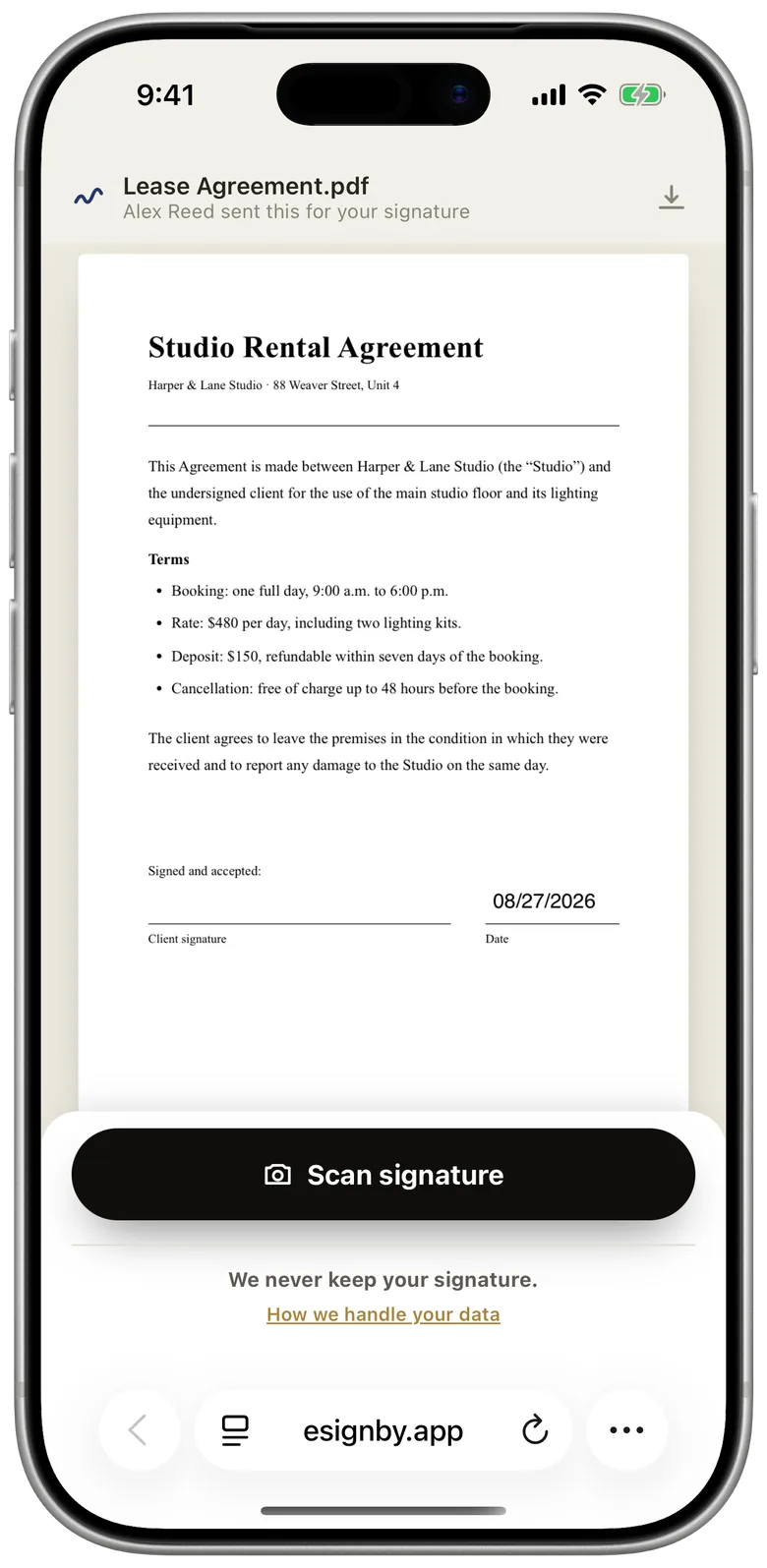
Good fit if: you sign occasionally, mostly on an iPhone, and want the signature on the page to look like yours, on both sides.
Less good if: you need an audit trail or a sealed file (eSign Me doesn't create them yet), several signers on one link (each link is for one person; you send the signed copy to the next), templates, or an app for Android, Mac or Windows. It is free to use as of September 2026, and paid plans are planned.
When to stay with DocuSign
DocuSign earns its price when:
- you need the evidence package. DocuSign's Certificate of Completion records who signed, when and from where, and the finished file is sealed so later changes show.
- compliance or procurement requires it, for example when DocuSign is the vendor on an approved list.
- you run many signers in order, with routing, reminders, templates and bulk sending.
- your counterparties already expect it, and a different tool would raise questions.
If none of these apply, one of the cheaper options above will likely do the same job. How the evidence part works, and why it matters in a dispute, is in electronic vs digital signatures. For rental agreements, see how to sign a lease online.
General information, not legal advice.
Questions
Is there a free DocuSign alternative?
Apple Markup is free and built into iPhone, but it only signs for you. Dropbox Sign has a free plan, and eSign Me is free to use as of September 2026, including sending a document to someone else to sign.
What is the cheapest DocuSign alternative?
Among paid plans checked in September 2026, SignNow Business was about $8 per user per month on an annual plan, and Dropbox Sign Essentials and Signeasy Personal about $10. Prices change often, so check each vendor before you buy.
Does eSign Me keep an audit trail?
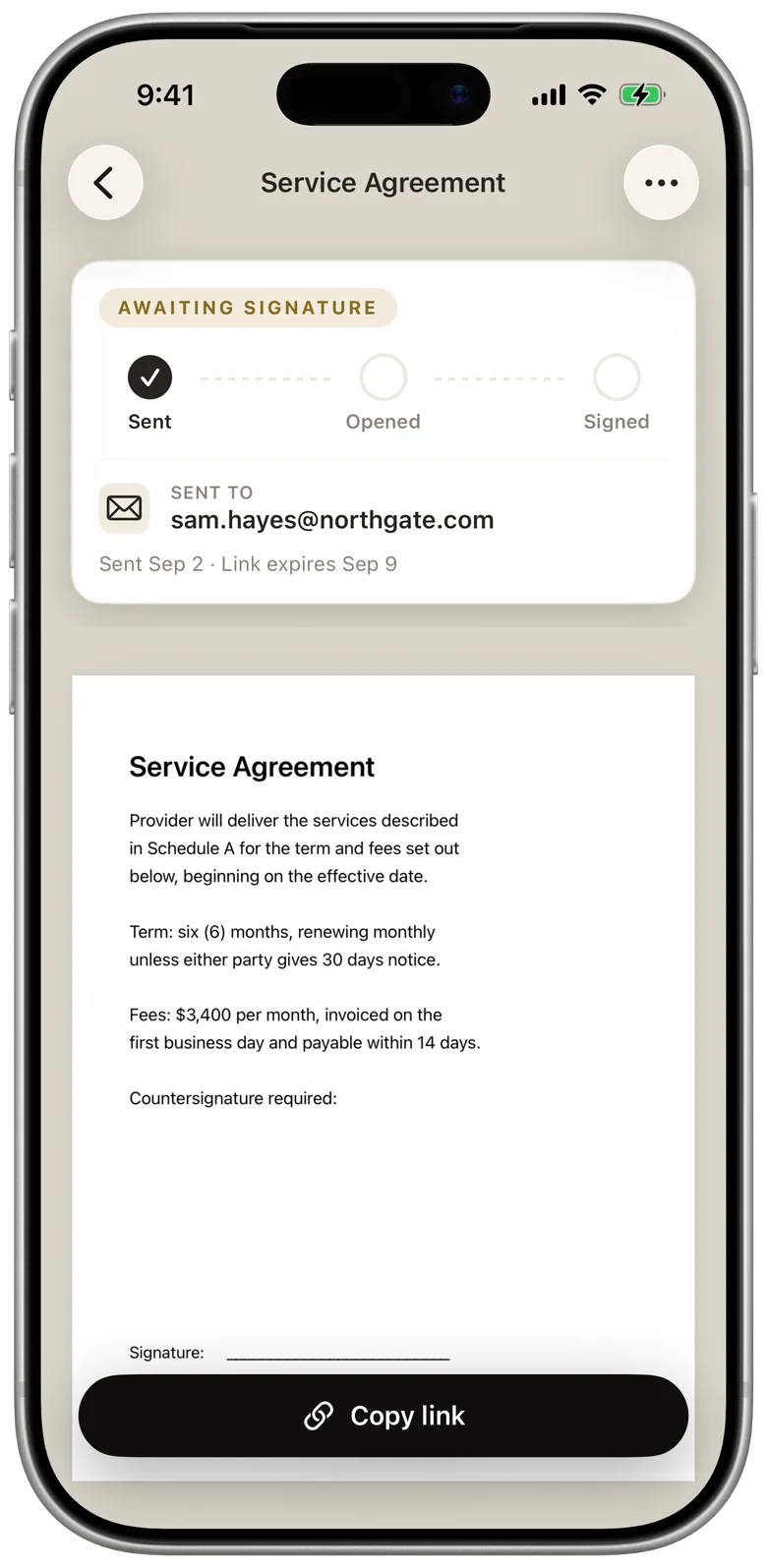
Not yet. eSign Me places your real signature on the PDF and tracks each request as sent, opened and signed, but it does not produce a certificate of completion or seal the file.